GetResponse Review (2026): Email Marketing, Funnels & Automation Tested
This is a practical decision guide for affiliate marketers, creators, coaches, and small businesses building email revenue systems. It is built to answer the decision quickly, compare real alternatives, avoid hype, and help readers choose the right next step.
Affiliate disclosure: This review contains affiliate links. Affiliate Marketing for Success may receive a commission if you purchase through them. Choose based on the product’s suitability and the terms shown by the provider.
GetResponse: the decision in plain English
Verdict: GetResponse is useful when you want email marketing, automation, landing pages, and simple funnels in one platform. It should be judged by deliverability, automation fit, and list economics.
Use it if…
affiliate marketers, creators, and small businesses building email capture, welcome sequences, newsletters, and offer funnels.
Do not use it if…
teams that only need a basic newsletter or require highly customized enterprise CRM workflows.
Proof test before buying
Build a lead magnet, welcome sequence, segment rule, landing page, and test deliverability before importing a large list.
Best next action
Open the tool, run one real workflow, capture screenshots, document the friction points, and update this article with observed results during the editorial refresh.
Quick answer: is GetResponse worth it?
GetResponse is worth considering if you need email marketing, automation, landing pages, and funnel follow-up for creators and affiliate marketers. Its strongest fit is when your main goal is evaluate GetResponse for email automation and conversion funnels. Do not choose it just because it is popular; choose it when the workflow, support model, pricing structure, and learning curve match your current stage.
The best funnel builder is not always the most feature-rich platform. Choose a funnel tool when your business needs dedicated landing pages, checkout paths, upsells, lead capture, and follow-up in one conversion-focused workflow.
- Best for: affiliate marketers, creators, coaches, and small businesses building email revenue systems.
- Compare against: Aweber, ConvertKit, ClickFunnels.
- Avoid if: you only need a simple free newsletter without automations or conversion tracking.
GetResponse: the practical decision before you spend money
This guide is written for affiliate marketers, creators, and small businesses building email lists and automations. The main job is to help you decide whether GetResponse is the right email automation platform for monetization. The article should not push a tool because it has an affiliate program; it should explain the conditions where the tool makes sense, the conditions where it does not, and the next action a reader should take.
Use it when
Email software should be judged by list growth, deliverability, automations, landing pages, and conversion tracking. Use the recommendation only if it removes a real bottleneck and you can verify the improvement with a practical test.
Do not use it when
Skip it if your problem is unclear, your current process is unmeasured, or the tool adds another subscription before you have a publishing, SEO, conversion, or reporting system in place.
Real implementation example
For an affiliate funnel, test the signup form, welcome sequence, segmentation rule, link tracking, unsubscribe flow, and mobile email rendering.
Proof checklist before final publishing
Send test campaigns, check spam risk, verify affiliate disclosures, and make sure every CTA has a clear reader benefit.
Read next: build the full email marketing decision path
Bottom-line verdict
Choose GetResponse if you need a conversion-first workflow for landing pages, offers, checkout paths, upsells, and follow-up. If your business is still content-first, compare it with a leaner WordPress plus email stack before adding another platform.
Best short answer: shortlist GetResponse if it directly supports evaluate GetResponse for email automation and conversion funnels. Then compare it with Aweber, ConvertKit, ClickFunnels before choosing an annual plan or migrating an important workflow.

Who GetResponse is best for
This buying filter is designed for affiliate marketers, creators, and small businesses building email lists and automations. The goal is to help readers recognize whether the recommendation matches their stage before they click a CTA.
Strong fit
- an affiliate site ready to capture leads and build monetization beyond one-time clicks
- a creator who needs forms, automations, segmentation, and landing pages in one workflow
- a business that will measure opens, clicks, unsubscribes, and revenue per subscriber
Weak fit
- you do not have a lead magnet or reason for readers to subscribe
- you will send generic promotional blasts without segmentation
- you cannot test deliverability and compliance basics
GetResponse decision tree
Use this decision tree before comparing every feature. It keeps the article useful for humans, search engines, and AI answer systems.
- Choose it: when email software should be judged by list growth, deliverability, automations, landing pages, and conversion tracking.
- Compare alternatives: when another tool or provider solves the same problem with less cost, less complexity, or better fit for your stage.
- Wait: when you cannot define the workflow, metric, or publishing process the tool is supposed to improve.
- Update the post: whenever pricing, limits, support, product features, or YouTube/media availability changes.
GetResponse alternatives and comparison table
The strongest affiliate pages reduce uncertainty before they recommend a tool. This table keeps the recommendation useful, transparent, and easy to scan on mobile.
| Tool | Best fit | Avoid if | Safe link handling |
|---|---|---|---|
| GetResponse Email marketing |
email marketing, automation, landing pages, and funnel follow-up for creators and affiliate marketers | you only need a simple free newsletter without automations or conversion tracking | Sponsored affiliate link active Visit / check current pricing |
| Aweber Email marketing |
classic email marketing and simple list-building automation | you need a deeply customized enterprise lifecycle marketing platform | Sponsored affiliate link active Visit / check current pricing |
| ConvertKit Email marketing |
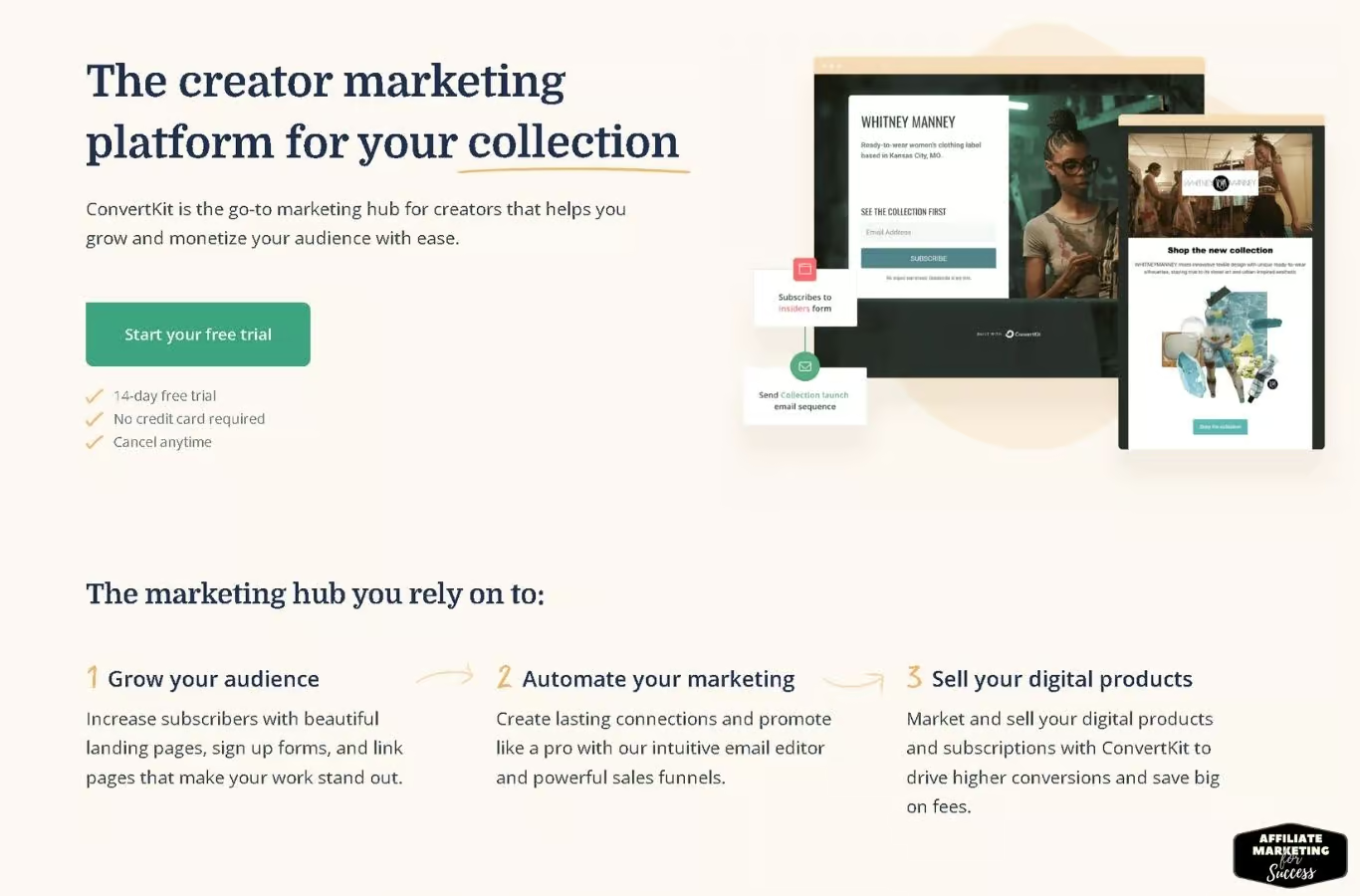
ConvertKit for its specific workflow category | it does not match your current business stage or editorial workflow | Affiliate URL needs verification before monetized use Official site |
| ClickFunnels Funnels |
funnels, checkout paths, offers, and landing pages for conversion-first businesses | you only need a simple blog-first WordPress content hub | Direct link only; no affiliate URL supplied Official site |
The practical workflow I would use with GetResponse
This is the difference between a helpful review and a thin affiliate page: show the reader exactly how the tool fits into a real workflow.
- 1. Map the offer before choosing the platform — Map the offer before choosing the platform: lead magnet, tripwire, core offer, upsell, and follow-up.
- 2. Step — Build one conversion path first instead of recreating your entire website.
- 3. Step — Connect email, analytics, payment, and affiliate tracking before sending traffic.
- 4. Step — Write page copy around one promise, one audience, and one next action.
- 5. Step — Test the funnel on mobile, including forms, checkout, thank-you pages, and emails.
- 6. Step — Compare revenue per visitor against a lean WordPress or email-platform landing page.
Mistakes to avoid
- Buying funnel software before validating the offer.
- Adding too many upsells before the core promise converts.
- Ignoring mobile checkout and form friction.
- Failing to connect email follow-up and analytics before traffic starts.
- Comparing monthly software cost without measuring revenue per visitor.
Watch this before choosing: GetResponse Tutorial for Beginners 2026: email marketing walkthrough
This video was selected from a current indexed YouTube result because it visually supports the exact topic of this article. The embed uses the standard WordPress-safe YouTube format and includes a direct watch link underneath in case a browser, theme, or privacy extension blocks iframes.
Direct YouTube link: Open GetResponse Tutorial for Beginners 2026: email marketing walkthrough on YouTube
Publishing QA: after pasting into WordPress, open this post in a logged-out browser and click the direct YouTube link. If a creator later deletes a video or disables embedding, replace this one block without changing the article structure.
FAQ
Is GetResponse worth it?
GetResponse is worth considering if it directly solves the workflow described in this guide: evaluate GetResponse for email automation and conversion funnels. The best choice depends on your budget, stage, technical comfort, and whether the tool saves time or improves revenue-quality decisions.
Who should avoid GetResponse?
You should avoid or delay GetResponse if you only need a simple free newsletter without automations or conversion tracking. In that case, compare Aweber or choose a simpler tool until the need becomes clear.
What is the best alternative to GetResponse?
The strongest alternative depends on the use case. For this guide, start by comparing Aweber, then review ConvertKit, ClickFunnels.
How should I use this article for SEO?
Use the answer-first summary, comparison table, FAQs, internal links, and original screenshots to make the page easier for readers and answer engines to parse. Avoid keyword stuffing; improve the actual usefulness of the page.
How often should this page be updated?
Review software, hosting, AI, SEO, and email marketing pages at least quarterly. Pricing, features, plans, model capabilities, affiliate terms, and screenshots can change quickly.
Are the affiliate links safe to use?
This article only uses sponsored affiliate links for programs marked USE NOW in the provided inventory. Missing, unverified, or dashboard-only programs are marked as direct/official links until you replace them with verified affiliate URLs.