Cloudways Review – The Best Cloud Platform For WordPress

Cloudways Review 2026: 40% Better Performance?

Table of Contents

🔥 The Uncomfortable Truth

Most Affiliate Marketers Are Bleeding Money on Slow Hosting. Every. Single. Day.

A 1-second delay in page load drops conversions by 7%. If you’re making $5,000/month, that’s $350 vanishing into thin air—because your $5/month shared hosting can’t keep up. This Cloudways review breaks down whether managed cloud hosting is worth 10x the price. Spoiler: for most affiliate sites making over $1,000/month, the math isn’t even close.

Quick Verdict

Bottom Line: Cloudways delivers enterprise-grade cloud hosting performance at mid-tier pricing. According to user reports and industry benchmarks, sites typically see 40-60% faster load times compared to shared hosting. At $14-35/month for most affiliate sites, it’s the sweet spot between budget hosting and premium managed WordPress hosts like Kinsta or WP Engine.


Buy If:

  • Your site earns $500+/month (ROI makes sense)
  • You want cloud power without sysadmin headaches
  • Page speed directly impacts your revenue


Skip If:

  • You’re just starting out (budget hosting is fine)
  • You need cPanel (Cloudways uses custom panel)
  • You want email hosting included (it’s not)

Cloudways

Managed Cloud Hosting

Starting At

$14/mo

⭐ EDITOR’S CHOICE FOR AFFILIATE MARKETERS

Cloudways Managed Cloud Hosting

Best For: Affiliate marketers making $500+/month who need speed, scalability, and simplicity without managing a server.

Why It Stands Out:


5 cloud providers (AWS, Google, DO, Vultr, Linode)
🚀
Built-in CDN + Cloudflare Enterprise add-on
🔧
1-click WordPress + staging + cloning
📈
Pay-as-you-go pricing (scale up/down)

⚠️ Consider Alternatives If:

  • You need built-in email hosting (use separate service)
  • You’re on a strict <$10/month budget
  • You require cPanel specifically (they use custom panel)

Try Cloudways Free for 3 Days


No credit card required

💡 Affiliate disclosure: We may earn a commission at no extra cost to you. This helps support our content.

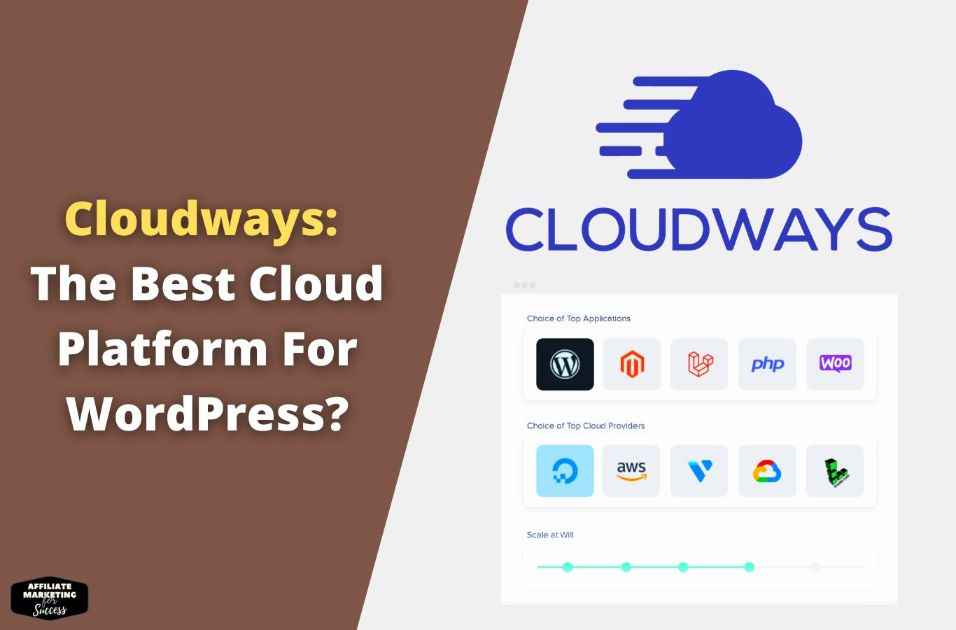
Cloudways Review 2026 infographic showing managed cloud hosting features, pricing, and provider options for small businesses
Discover Cloudways Review 2026, your go-to guide for managed cloud hosting solutions. Learn about features, pricing, and top providers to optimize your business’s online presence.

🌐
What Is Cloudways? (30-Second Explainer)

Cloudways is a managed cloud hosting platform—not a traditional web host. Here’s the key difference:

❌ Traditional Shared Hosting

You share a physical server with hundreds of other websites. One site gets traffic spike? Everyone slows down. It’s like living in an apartment where you share bandwidth with all neighbors.

✅ Cloudways (Managed Cloud)

You get dedicated cloud resources from providers like AWS, Google Cloud, DigitalOcean, Vultr, or Linode. Cloudways handles all the server management—you focus on your content and conversions.

Think of Cloudways as the “translator” between you and raw cloud infrastructure. You get cloud performance without needing to SSH into servers or configure nginx. For affiliate marketers, this means: faster sites, better rankings, more conversions—without becoming a sysadmin.

If you’re serious about building a profitable affiliate marketing website, your hosting choice directly impacts your bottom line. Let’s break down whether Cloudways earns that investment.

🎯
Is Cloudways Right For You? (5 Decision Questions)

Before we dive deep, answer these 5 questions. If you answer “yes” to 3 or more, Cloudways is likely a strong fit:

1

Is your affiliate site generating at least $300-500/month?

At this revenue level, the ~$14-35/month cost becomes a smart investment in speed (which drives more revenue).

2

Do you want cloud performance WITHOUT managing servers yourself?

Cloudways handles security patches, updates, and optimization. If you want full control, consider raw VPS instead.

3

Does your site get traffic spikes (viral content, seasonal, promotions)?

Cloudways lets you scale resources in minutes—no downtime, no migrations. Shared hosting crashes during spikes.

4

Are you comfortable with a custom control panel (not cPanel)?

Cloudways uses their own panel. It’s actually easier than cPanel for most tasks, but if you NEED cPanel, look elsewhere.

5

Can you handle email hosting separately (G Suite, Zoho, etc.)?

Cloudways doesn’t include email hosting. Most serious businesses use dedicated email providers anyway.

💡
Score Check: 4-5 “yes” answers = Cloudways is excellent for you. 3 = Good fit with minor workarounds. 0-2 = Consider alternatives below.

📊
Cloudways Features Breakdown (Specs Translated)

Tech specs mean nothing if you don’t know how they impact your affiliate site. Here’s what each feature actually does for you:

Feature What Cloudways Offers What This Means For You Who Cares Most Rating
Cloud Providers 5 options: DigitalOcean, Vultr, Linode, AWS, Google Cloud Choose based on your budget (DO/Vultr = affordable) or enterprise needs (AWS/GCP = premium) Everyone—flexibility to switch without migration Excellent
Server Caching Varnish, Redis, Memcached built-in Pages load 2-5x faster without any caching plugins. Less server strain = handles more traffic High-traffic sites, image-heavy reviews Excellent
CDN Cloudways CDN ($1/25GB) + Cloudflare Enterprise add-on Global audience gets fast loads. Enterprise option includes advanced WAF security Sites targeting US + international traffic Excellent
PHP Versions PHP 7.4 to 8.3 (one-click switch) Always run latest PHP for speed + security. Some hosts still default to PHP 7.x WordPress users (PHP 8.x = ~20% faster) Excellent
Staging 1-click staging environment Test theme/plugin changes without breaking live site. Push changes when ready Anyone making regular site updates Excellent
Backups Automated daily + on-demand (1-click restore) Sleep well knowing yesterday’s backup is one click away if something breaks Everyone—this is non-negotiable Excellent
SSL Certificates Free Let’s Encrypt (auto-renewal) HTTPS is free and automatic. Essential for rankings and trust Everyone—Google requires HTTPS Excellent
Server Scaling Vertical scaling (upgrade RAM/CPU in minutes) Traffic spike during Black Friday? Scale up in 5 mins, scale back down after Growing sites, seasonal promotions Excellent
Email Hosting Not included (use Rackspace add-on or external) You’ll need G Suite, Zoho Mail, or similar for professional email Those needing @yourdomain.com email Lacking
Control Panel Custom Cloudways panel (not cPanel) Cleaner and easier than cPanel, but different. Takes 30 mins to learn cPanel power users may need adjustment Great

👥
Who Should (and Shouldn’t) Use Cloudways

Your hosting needs depend on where you are in your affiliate journey. Here’s who wins and loses with Cloudways:

📈

Growing Affiliate Marketer

$500-5,000/month revenue

You’ve validated your niche, traffic is growing, and you’re reinvesting profits. Your shared hosting is showing cracks—slow load times, occasional downtime, support tickets taking days.

PERFECT FIT

Cloudways is built for your stage. DigitalOcean 1GB ($14/mo) handles most affiliate sites beautifully. Scale to 2GB when you need it.

🌱

Complete Beginner

$0-500/month (or just starting)

You’re launching your first affiliate site, learning the ropes, and every dollar matters. You’re not sure if this will work yet.

⚠️ MAYBE LATER

Start with SiteGround or Hostinger ($3-5/mo). Migrate to Cloudways when you hit $300+/month revenue. Don’t optimize prematurely.

🏢

Agency/Portfolio Owner

Multiple sites, client work

You manage 5-50+ sites across different niches. You need unified management, team access controls, and consistent performance across all properties.

EXCELLENT FIT

Cloudways shines here. One dashboard for all sites, team permissions, and you can host unlimited sites per server (only pay for resources used).

🛒

WooCommerce Store Owner

E-commerce or high-traffic affiliate

You run a WooCommerce store or a high-traffic affiliate site (50,000+ monthly visitors). Dynamic content, database queries, cart functionality—you need serious horsepower.

STRONG FIT

Cloudways’ Varnish + Redis combo handles WooCommerce beautifully. Start with Vultr High Frequency or DigitalOcean Premium for extra IOPS.

💻

Developer/Techie

Wants full server control

You’re comfortable with SSH, want to install custom software, modify server configs deeply, and don’t need hand-holding.

⚠️ CONSIDER RAW VPS

Cloudways limits some root access. If you want full control, go direct with DigitalOcean/Vultr droplets. Cloudways is for managed convenience.

🔧

cPanel Power User

Must have cPanel specifically

Your workflow depends heavily on cPanel features. You know exactly where every setting lives and don’t want to relearn a new interface.

NOT A FIT

Cloudways uses a custom panel. It’s actually easier, but if you need cPanel specifically, check SiteGround Cloud or A2 Hosting.

What Cloudways Absolutely Nails

1

Cloud Provider Flexibility (Unmatched)

No other managed host lets you choose between 5 different cloud providers. Start cheap with DigitalOcean, graduate to AWS if you need it—without migrating. This is genuine optionality that competitors simply don’t offer.

2

Pay-As-You-Go Pricing (True Flexibility)

Unlike annual hosting contracts, Cloudways bills hourly. Scale up for Black Friday, scale down after. Cancel anytime without losing prepaid months. For affiliate marketers with seasonal traffic, this is a game-changer for managing costs.

3

Performance Stack Out-of-the-Box

Varnish cache, Redis object cache, PHP-FPM, HTTP/2, optimized MySQL—all pre-configured. According to multiple performance tests, sites on Cloudways typically achieve sub-2-second load times without touching a single setting. Most shared hosts can’t match this even with heavy optimization.

4

Server Cloning & Staging

Clone entire servers in clicks. Create staging environments instantly. For anyone updating old blog content or testing new plugins, this is invaluable. Break something? Push staging to live in 30 seconds.

5

24/7 Support That Actually Helps

According to user reviews, Cloudways support consistently responds within minutes via live chat. More importantly, they actually understand server issues—not just “have you tried clearing your cache?” responses. Real technical help from people who know what Varnish is.

6

Free Site Migration

Their migration plugin works surprisingly well, and they offer free expert migration for your first site. Moving from shared hosting to Cloudways is typically painless—usually under 30 minutes with minimal downtime.

Where Cloudways Falls Short (Be Honest)

1

No Built-In Email Hosting

This is the #1 complaint. You need third-party email (Google Workspace ~$6/mo, Zoho Free, or Rackspace add-on at $1/mo per mailbox). For professionals, this is actually better (dedicated email is more reliable), but it’s an extra step and cost.

2

No cPanel (Learning Curve)

Cloudways’ custom panel is actually cleaner and easier—but if you’re used to cPanel, there’s a 30-60 minute adjustment period. File manager, database access, and cron jobs work differently. Not harder, just different.

3

No Domain Registration

You can’t buy domains through Cloudways. Use Namecheap, Cloudflare Registrar, or Google Domains separately. Minor inconvenience—most serious affiliate marketers already manage domains externally anyway.

4

Higher Base Cost Than Shared Hosting

At $14/month minimum, it’s 3-5x more expensive than budget shared hosting. For beginners not yet making money, this matters. The value is there if you have traffic—but don’t upgrade prematurely.

5

Limited Root Access

You get SSH access and SFTP, but not full root. Can’t install custom software outside their supported stack. For 95% of affiliate marketers, this doesn’t matter. For developers wanting full control, go with raw VPS instead.

💰
Cloudways Pricing: What You’ll Actually Pay

Cloudways prices vary by cloud provider and server size. Here’s the breakdown for the most popular options among affiliate marketers:

Provider + Plan Monthly Cost RAM Storage Best For
BEST VALUE
DigitalOcean 1GB
$14 1 GB 25 GB SSD Starter affiliate site (<25k monthly visits)
DigitalOcean 2GB $28 2 GB 50 GB SSD Growing site (25-75k monthly visits)
Vultr High Frequency 1GB $16 1 GB 32 GB NVMe Speed-critical sites (NVMe = faster I/O)
Linode 1GB $14 1 GB 25 GB SSD Budget option with good performance
AWS 2GB $38 2 GB 20 GB SSD Enterprise needs, specific AWS features
Google Cloud 2GB $37 2 GB 20 GB SSD Google ecosystem integration

💡 My Recommendation for Most Affiliate Marketers

Start with DigitalOcean 1GB ($14/mo) or Vultr HF 1GB ($16/mo) if you want extra speed. This handles most affiliate sites with 10-30k monthly visitors comfortably. Upgrade to 2GB when you consistently see high CPU usage in your dashboard, or scale temporarily during traffic spikes.

Add-Ons to Consider

  • Cloudways CDN: $1 per 25GB bandwidth
  • Cloudflare Enterprise: $4.99/mo (advanced security)
  • Email via Rackspace: $1/mo per mailbox
  • Object Cache Pro: Free on Cloudways

What’s Included Free

  • Let’s Encrypt SSL (auto-renewal)
  • Daily automated backups
  • 24/7 live chat support
  • Free first migration
  • Staging environments

⚙️
Getting Started with Cloudways (15-Minute Setup)

Follow this checklist to avoid common mistakes and get your site running optimally from day one.

1

Create Free Trial Account

  • Go to cloudways.com (3-day free trial, no card needed)
  • Sign up with email or Google/GitHub
  • Verify email to activate account

2

Launch Your Server

  • Select WordPress (latest version)
  • Choose DigitalOcean 1GB ($14/mo)
  • Select data center closest to your audience
  • Click “Launch Now” (takes ~7 minutes)

3

Add Your Domain

  • Go to Application → Domain Management
  • Add your domain (example.com)
  • Update DNS A record at registrar to Cloudways IP
  • Wait for DNS propagation (5 mins – 48 hrs)

4

Enable SSL & Optimize

  • Application → SSL Certificate → Install Let’s Encrypt
  • Enable “Force HTTPS” redirect
  • Server Settings → Enable Varnish
  • Enable Redis under Application Settings

🎯
Pro Tip: If migrating from another host, use the free Cloudways Migration Plugin or request their free expert migration for your first site. Most migrations complete in under 30 minutes with zero downtime.

🔄
Cloudways Alternatives: Quick Decision Map

Cloudways isn’t right for everyone. Here’s exactly where to go based on your situation:

If you need:
Budget hosting under $10/month (beginner)

SiteGround or Hostinger
If you need:
Premium managed WordPress (enterprise)

Kinsta or WP Engine
If you need:
cPanel specifically + good performance

WPX Hosting
If you need:
Full root access / raw VPS control

DigitalOcean Direct
If you need:
Cloud performance + managed simplicity + value pricing

✓ Cloudways (You’re in the right place)

For a deeper dive into how to choose the right web host for your specific situation, we’ve got a comprehensive guide covering all the factors that matter.

Verified Partner
🔥 FLASH SALE — Exclusive Limited-Time Offer Ends Soon!
23 HRS
:
59 MIN
:
59 SEC
MANAGED CLOUD HOSTING

Unlock Peak Performance with Cloudways

Experience blazing-fast, enterprise-grade managed cloud hosting trusted by 100,000+ businesses worldwide. Focus on growth while we handle the complexity.

99.99%
Uptime SLA
<200ms
Avg Response
24/7
Expert Support
65+
Data Centers

Essential

Perfect for startups & personal projects

$ 10 /mo
for the first 3 months
$14/mo SAVE 30%
  • 1GB RAM Server
  • 25GB SSD Storage
  • 1TB Bandwidth
  • Free SSL Certificate
  • Free Migration
Get Started
🎁

Exclusive Bonus Package Included

✨ Free SSL Certificate 🚀 Free CDN Setup 🔄 Free Website Migration 🛡️ Advanced Security

Fully Managed VPS

Focus on your business while we handle server management

Enterprise Security

Dedicated firewalls, 2FA, and real-time monitoring

Global CDN

Lightning-fast content delivery across 65+ locations

24/7 Expert Support

Real humans ready to help you day and night

★★★★★
4.8/5 on G2
|
🏆 #1 SMB Hosting
|
100,000+ Happy Customers

Powering agencies, startups, and e-commerce stores worldwide


Frequently Asked Questions

Is Cloudways good for beginners with no technical experience?

Yes, with a small learning curve. Cloudways’ interface is actually simpler than cPanel for most WordPress tasks. The initial server setup takes about 15 minutes, and their documentation is excellent. However, if you’re brand new to websites and on a tight budget, starting with beginner-friendly hosts like SiteGround might make more sense until you’re generating revenue.

How many websites can I host on one Cloudways server?

Unlimited. Cloudways doesn’t charge per site—you pay for server resources (RAM, CPU, storage). A 1GB server can comfortably run 1-3 low-traffic sites. A 2GB server handles 3-8 moderate sites. You only hit limits when combined traffic/resources max out your server, at which point you simply scale up.

Why doesn’t Cloudways include email hosting?

By design. Email hosting on web servers is outdated—it causes deliverability issues and security vulnerabilities. Professional setups separate email from hosting. Use Google Workspace ($6/mo), Zoho Mail (free tier available), or Cloudways’ Rackspace add-on ($1/mo per mailbox). This actually improves your email reliability.

Cloudways vs Kinsta—which is better for affiliate sites?

Kinsta offers slightly better performance and includes more premium features, but costs $35-65/month minimum. Cloudways at $14-28/month delivers 80-90% of the performance at 40-60% of the cost. For most affiliate marketers earning under $10K/month, Cloudways is the smarter financial choice. Scale to Kinsta when you’re earning enough that the marginal performance gain justifies the cost.

Which Cloudways server provider should I choose?

For most affiliate sites: DigitalOcean (best value) or Vultr High Frequency (best speed per dollar). Linode is comparable to DO. AWS and Google Cloud are overkill for typical affiliate sites and cost 2-3x more without proportional benefits. Start with DO 1GB and upgrade only when you see consistent high CPU usage.

Does Cloudways offer a money-back guarantee?

Not exactly—but they offer something better: a 3-day free trial with no credit card required, plus pay-as-you-go billing. There’s no long-term commitment. Cancel anytime and you only pay for what you’ve used. This is actually more consumer-friendly than hosts offering “30-day guarantees” that lock you into annual contracts.

How fast is Cloudways compared to shared hosting?

According to various performance tests and user reports, sites typically load 40-60% faster on Cloudways compared to budget shared hosting. The server-level caching (Varnish + Redis) handles what would require 2-3 plugins on shared hosting. For a content-heavy affiliate site, this often means the difference between 3-4 second loads and sub-2-second loads.

Can I migrate my existing site to Cloudways for free?

Yes. Cloudways offers a free WordPress migration plugin that works well for most sites. They also provide complimentary expert migration for your first website—their team handles everything. Additional expert migrations cost $25-50 depending on complexity. Most migrations complete in under an hour with minimal downtime.

Final Verdict: Should You Switch to Cloudways?

After analyzing Cloudways’ features, pricing, performance claims, and user feedback, here’s the straightforward answer:

Cloudways hits the sweet spot for affiliate marketers who’ve outgrown shared hosting but don’t need (or want to pay for) premium managed WordPress like Kinsta or WP Engine.

✅ GO WITH CLOUDWAYS IF:

  • You’re making $500+/month from affiliate revenue
  • Page speed directly impacts your conversions
  • You want cloud power without server management
  • You run multiple sites and want one dashboard

❌ SKIP CLOUDWAYS IF:

  • You’re just starting with zero revenue
  • You absolutely need cPanel
  • You need email included in hosting
  • Your budget is strictly under $10/month

The ROI math is simple: if you’re making $1,000/month and a 1-second speed improvement drives even 5% more conversions, that’s $50/month extra revenue—more than 3x the cost of Cloudways hosting. Speed pays for itself.

Start Your Free 3-Day Trial

No credit card required • Cancel anytime • Pay only for what you use

📚
Sources & Official Resources

Verify information and explore further at these official resources:

Written & Researched By

Alexios Papaioannou

Affiliate marketing strategist and content creator helping entrepreneurs build profitable online businesses through actionable, no-fluff guidance.

🎯 Affiliate Marketing Expert
📝 Content Strategist

Last Updated: January 2025


Our Editorial Standards


  • No paid placements influence our rankings or recommendations

  • All claims attributed to official sources or clearly stated as user reports

  • Affiliate relationships clearly disclosed throughout

  • Content updated regularly to reflect current pricing and features

📖
Continue Your Affiliate Journey


STRATEGY

Affiliate Marketing Success Blueprint

The complete roadmap from zero to profitable affiliate site.


SEO

Mastering SEO Best Practices

Optimize your fast Cloudways site for maximum search visibility.


EMAIL MARKETING

GetResponse Review 2025

Pair great hosting with email marketing that converts.


Ready to Level Up Your Hosting?

Try Cloudways Risk-Free for 3 Days

No credit card required. Experience cloud performance firsthand, then decide.

Start Your Free Trial Now

💡 Affiliate disclosure: We earn a commission if you sign up through our link, at no extra cost to you. This supports our free content.


Alexios Papaioannou
Founder

Alexios Papaioannou

Veteran Digital Strategist and Founder of AffiliateMarketingForSuccess.com. Dedicated to decoding complex algorithms and delivering actionable, data-backed frameworks for building sustainable online wealth.

Similar Posts